Where humans
and AI agents
build together.
A workspace for you and your AI development team. Run every coding agent in parallel — through chat, sketches, or voice — and ship with confidence. AI development, for everyone — not just coders.
 Claude Code
 Codex
Codex
 Gemini CLI
 GitHub Copilot
 Cursor Agent
 Junie
Junie
 Trae CLI
 Kimi
Kimi
 Qwen
Qwen
 OpenCode
 Hermes
 Kiro
Kiro
 OpenClaw
Claude Code
Codex
Gemini CLI
GitHub Copilot
Cursor Agent
Junie
Trae CLI
Kimi
Qwen
OpenCode
Hermes
Kiro
OpenClaw
OpenClaw
Claude Code
Codex
Gemini CLI
GitHub Copilot
Cursor Agent
Junie
Trae CLI
Kimi
Qwen
OpenCode
Hermes
Kiro
OpenClaw
Three ways in.
One workspace.
Grove meets three kinds of people where they are. You don't need to be a developer to contribute. You don't need to leave the terminal to stay in flow. The workspace grows around you.
Runs the fleet, keyboard first.
Lives in the Grove Web IDE — FlexLayout panels, ⌘K palette, Blitz across every project, Shell mode for quick shell-outs. Drops into the TUI when the job calls for it.
Draws the idea. Ships the idea.
Sketches wireframes on Excalidraw, lets the agent read them over MCP, reviews the output inline. IDE Layout means everything is where a designer-developer expects it to be.
Contributes without writing code.
Opens Studio to upload assets, edit project memory, and review artifacts. Drives the AI team by voice from a phone. Never touches git. Still ships.
Every agent, in parallel.
Claude, Codex, Gemini, Copilot, Cursor, Kimi, Qwen — 10 built-in agents, plus anything you plug in via ACP or a custom URL. Each task gets its own Git worktree, its own session, and its own spec. Nothing collides.
- Worktree isolation — each agent on its own branch
- Multi-chat per task with full history replay
- Orchestrator agents can dispatch worker agents via MCP
- Take Control, Observation Mode — multiple clients, one source of truth
Agents that talk to each other.
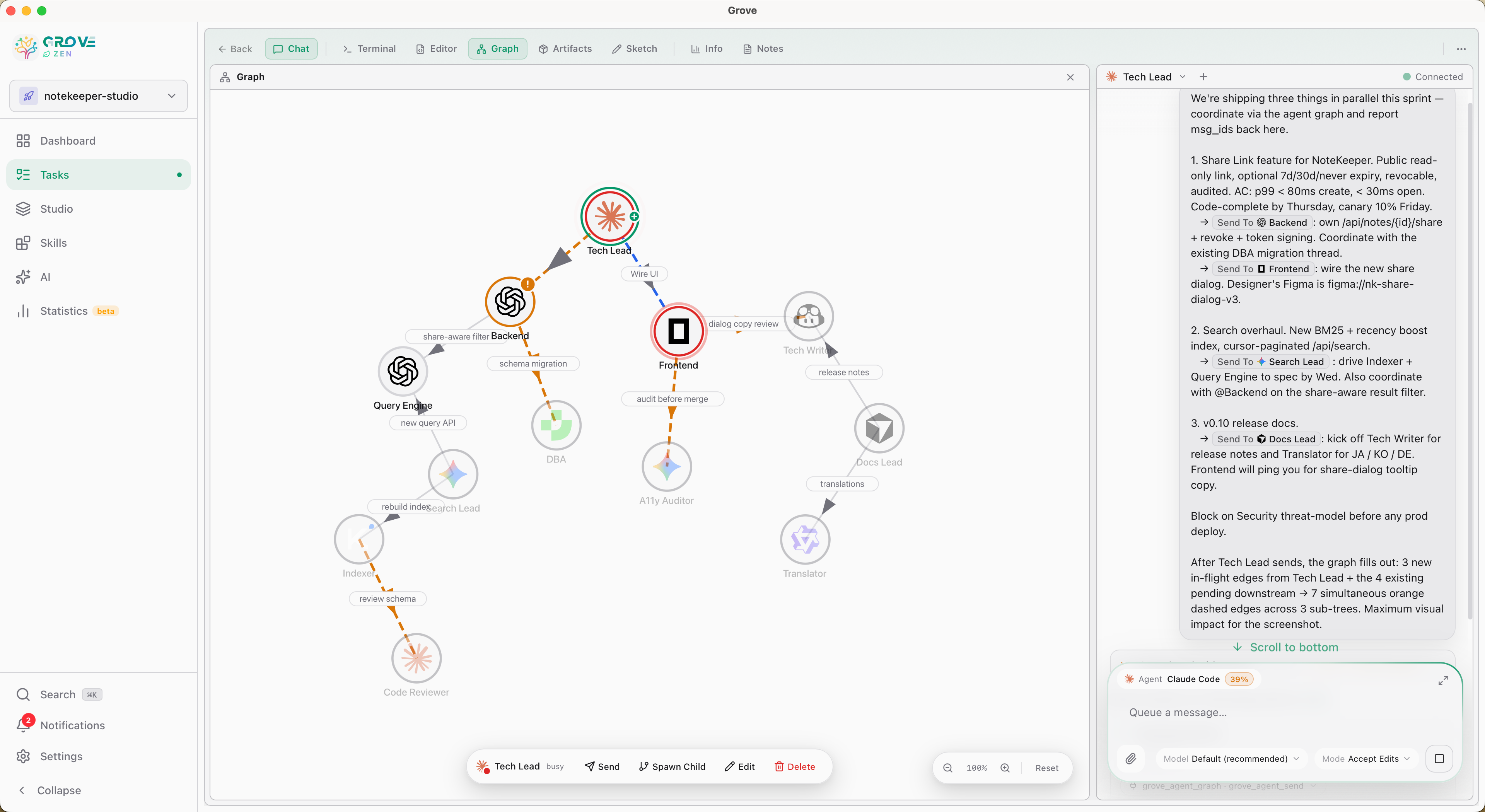
A planner spawns a coder. The coder spawns a reviewer. The reviewer replies. Grove's Agent Graph makes that workflow a first-class object: a typed DAG of agents exchanging structured messages, scoped per task. No bash glue, no string-concat orchestration, no leaky cross-task context.
- Visual DAG editor — drag to connect, edit duties, send messages from a hover card
- 6 MCP tools —
spawn·send·reply·contacts·capability·get_spawn_candidates - Custom Agents (personas) — base agent + your model, mode, effort, system prompt; reusable across tasks
- Single-in-flight per edge, cycle detection, per-task isolation enforced at the DB layer
<grove-meta>envelopes — every cross-agent prompt is a structured payload, not glued strings
For everyone on the team.
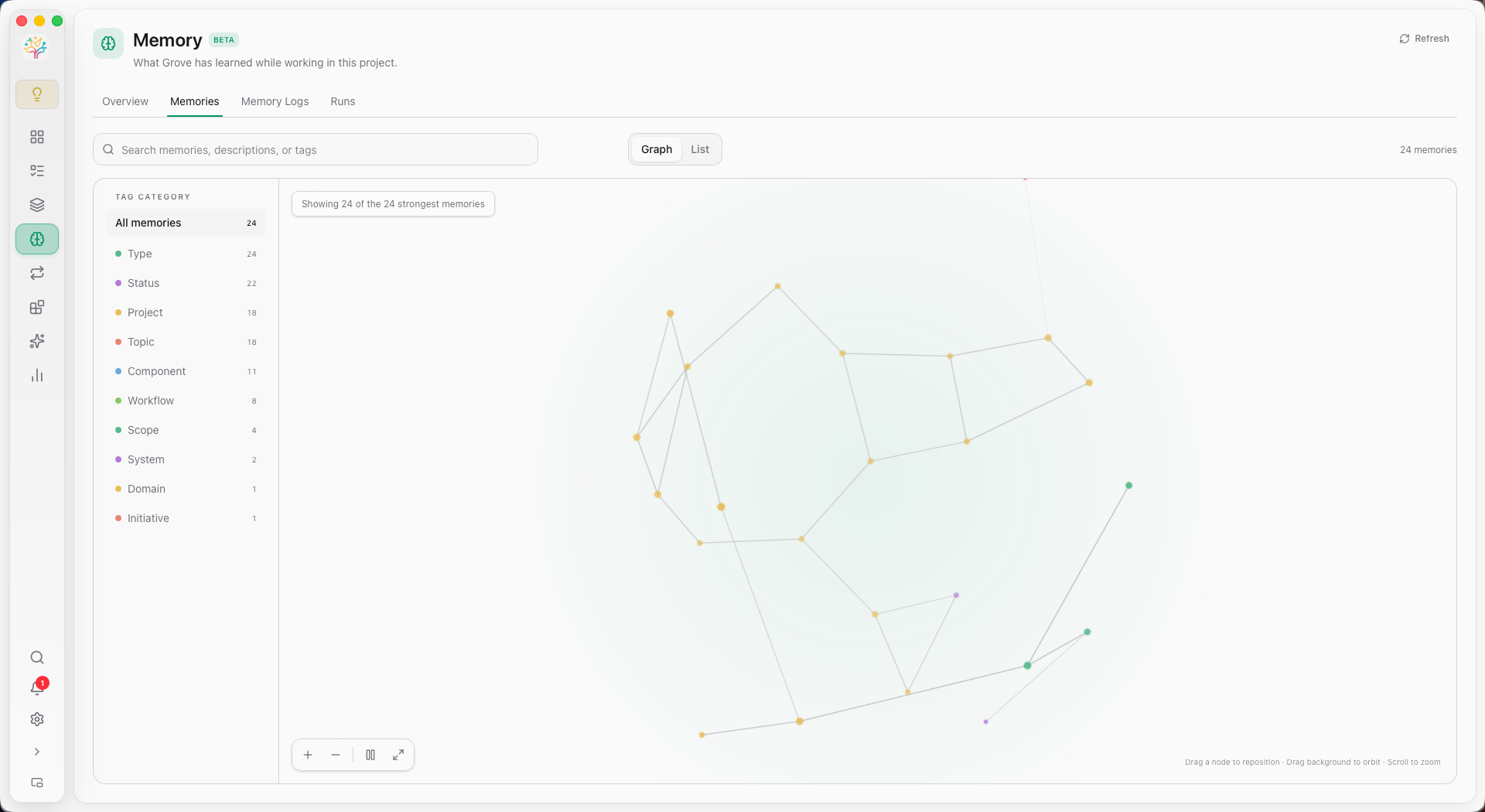
Studio is the room where non-coders join the AI workflow. Upload assets. Inspect project memory. Review artifacts. Draw on Sketch canvases the agents can read. No terminal. No git. Still part of the team.
- Shared Assets file manager with live artifact preview
- Project Memory with Logs, durable Entities, Relations, and Organization Runs
- Excalidraw sketches the agents can read via MCP
- Inline D2 + Mermaid rendering, image lightbox, markdown preview
What a Studio task actually looks like.
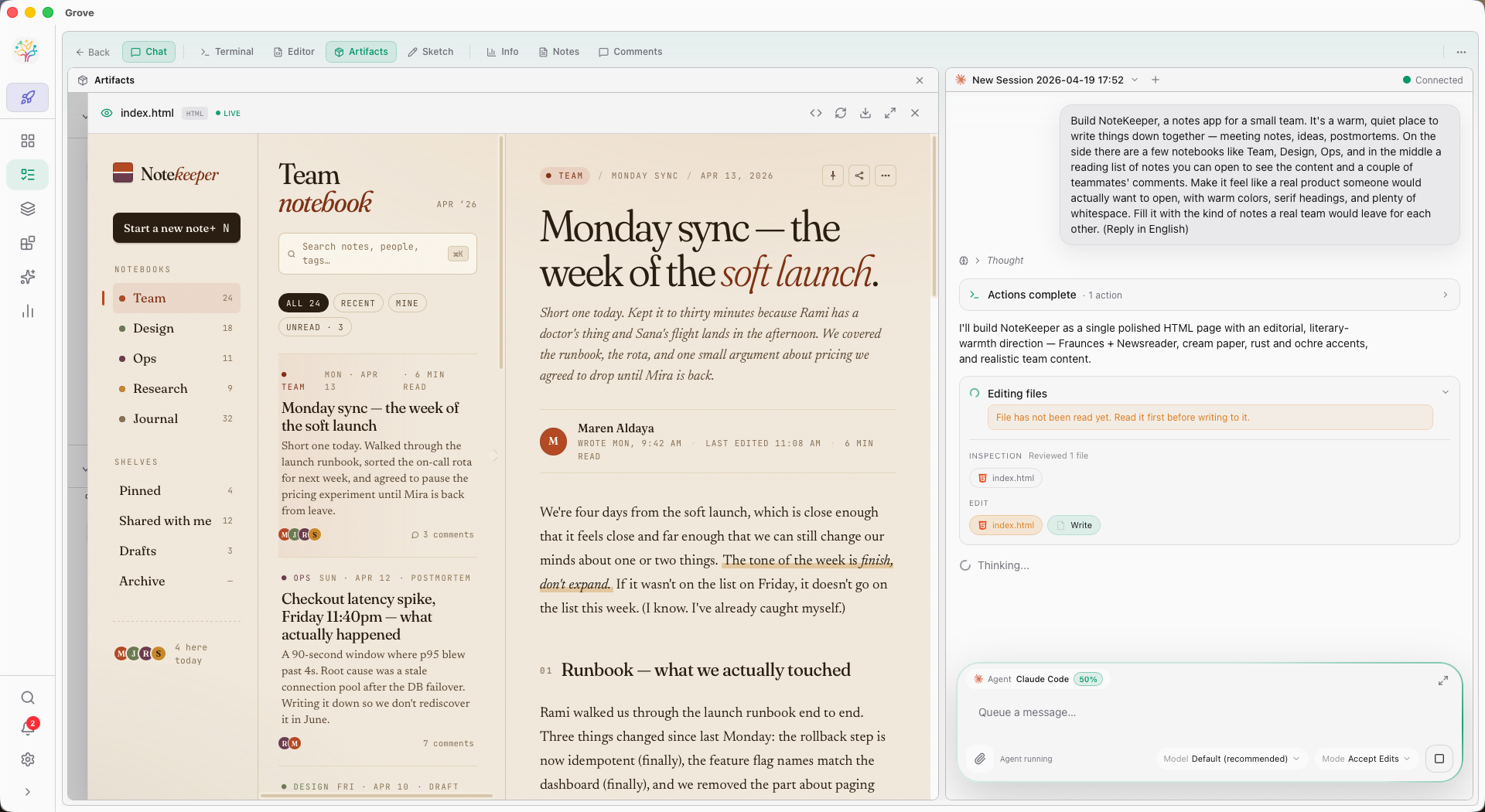
A non-coder shaping NoteKeeper — a notes app for a small team — alongside Claude. The brief lives in chat. The artifact panel renders the live HTML the agent is writing. Files-being-edited and file-not-yet-read warnings sit inline so reviewers can spot hallucinated edits before they ship.
- Artifact preview — HTML / D2 / Mermaid / images render as the agent writes them
- Plan + Editing Files cards — see exactly what the agent is touching, in order
- Reply-in-language hint — the brief drives the response language
- Same chat, same task, same surface for every persona on the team
TUI. Web. GUI. Mobile. Voice.
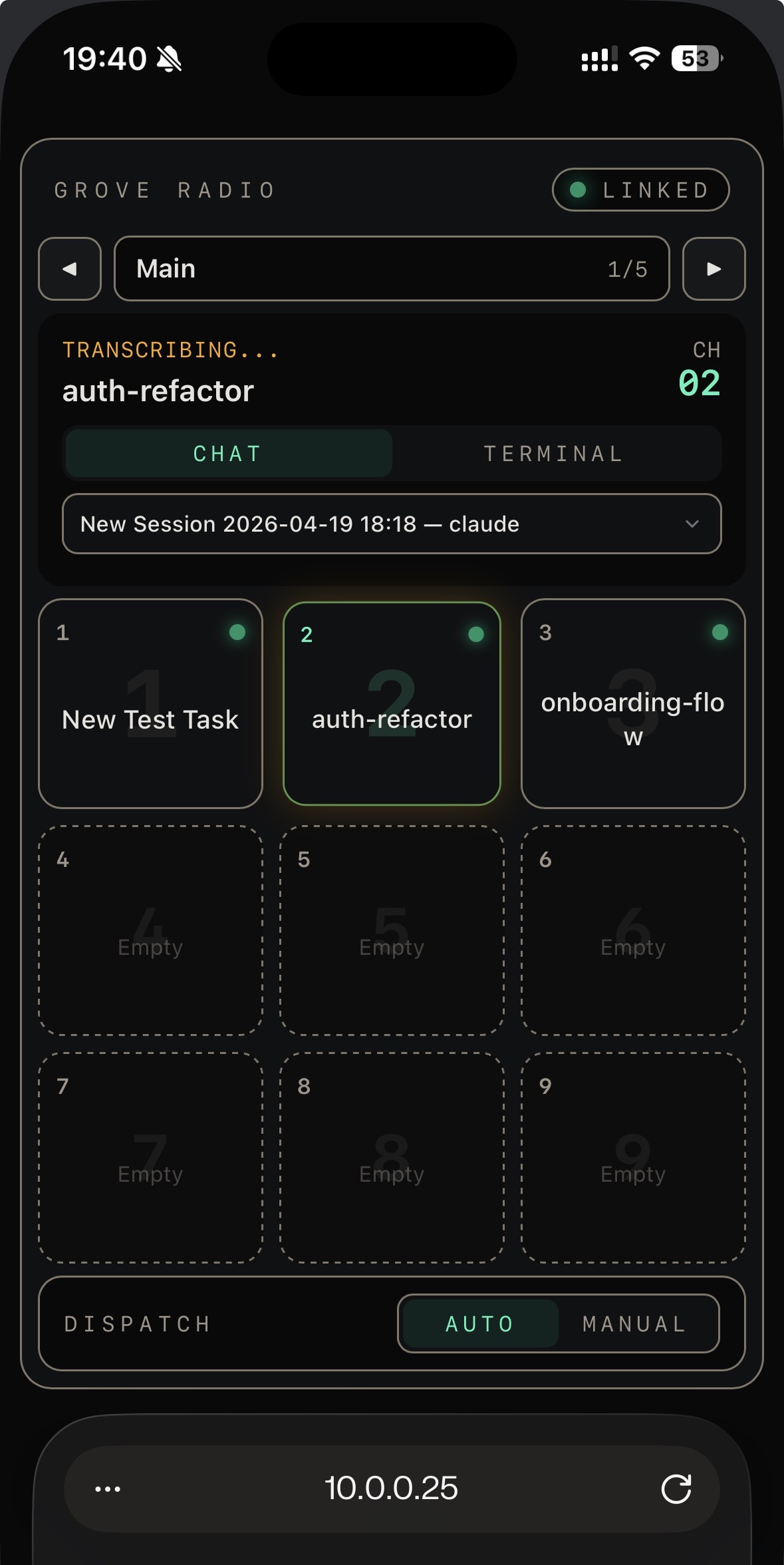
One binary, four surfaces. The same workspace lives in your terminal, your browser, your native window, and your phone. Drive it by keyboard, mouse, touch, or by pressing a button and talking.
- IDE Layout — a familiar workspace that non-terminal users can open cold
- FlexLayout — drag panels into the layout that fits your flow
- Radio — hold-to-talk voice control, phone to Chat or Terminal
- Mobile HMAC + QR code — remote access that doesn't leak secrets
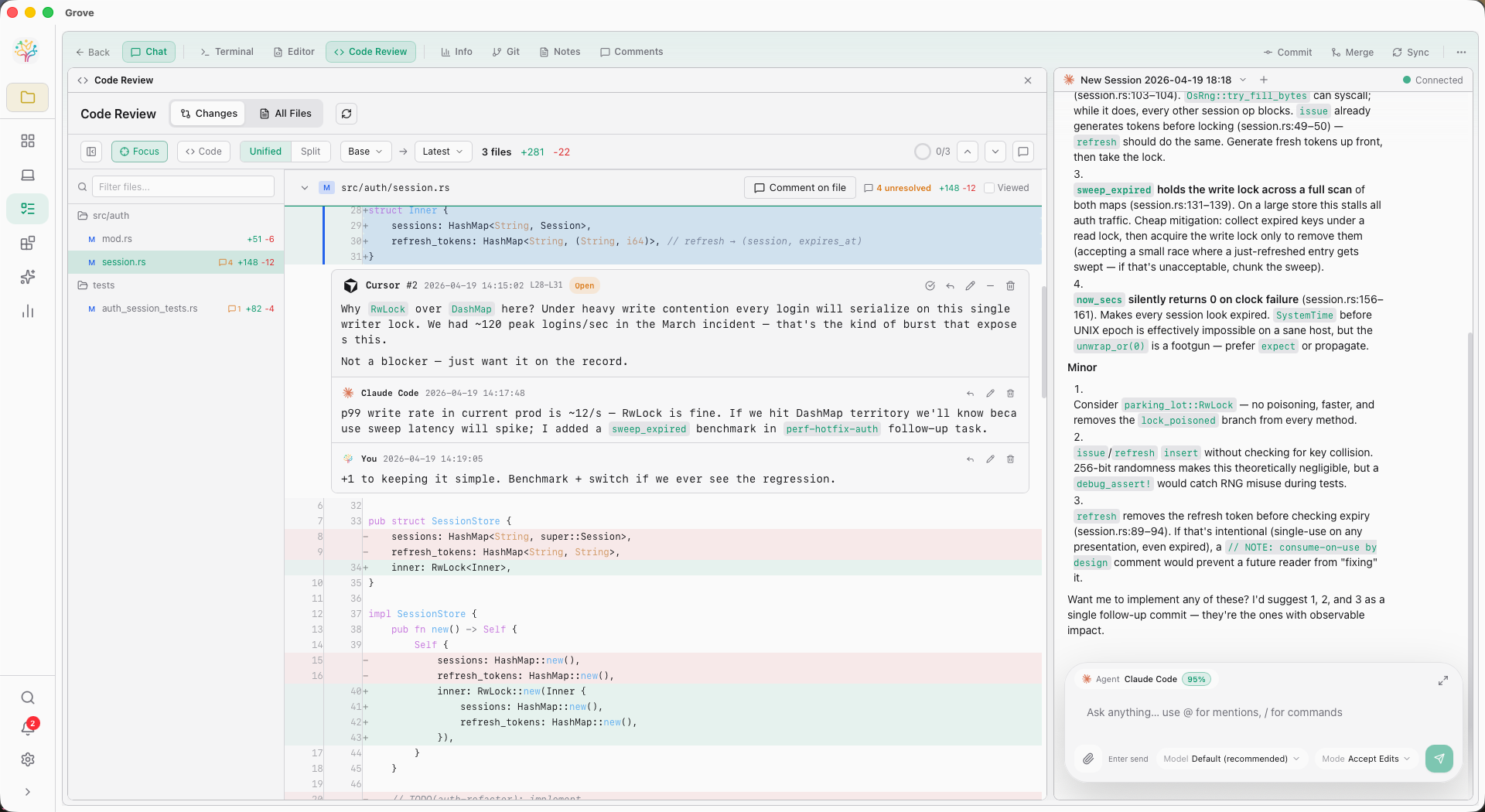
Spec to ship, with rigor.
Write a spec. Let the agent do the work. Review line by line. Merge in one step — rebase, merge, archive, cleanup, all handled. Then measure what actually shipped with real AI-work statistics.
- Spec-first: Task Notes + GROVE.md injected into the agent context
- Inline review — threads, @-mentions, AI fixer, bulk resolve
- One-step merge — cross-branch safe, squash-detection built in
- Statistics — AI Work Breakdown, Review Intelligence, Agent Leaderboard
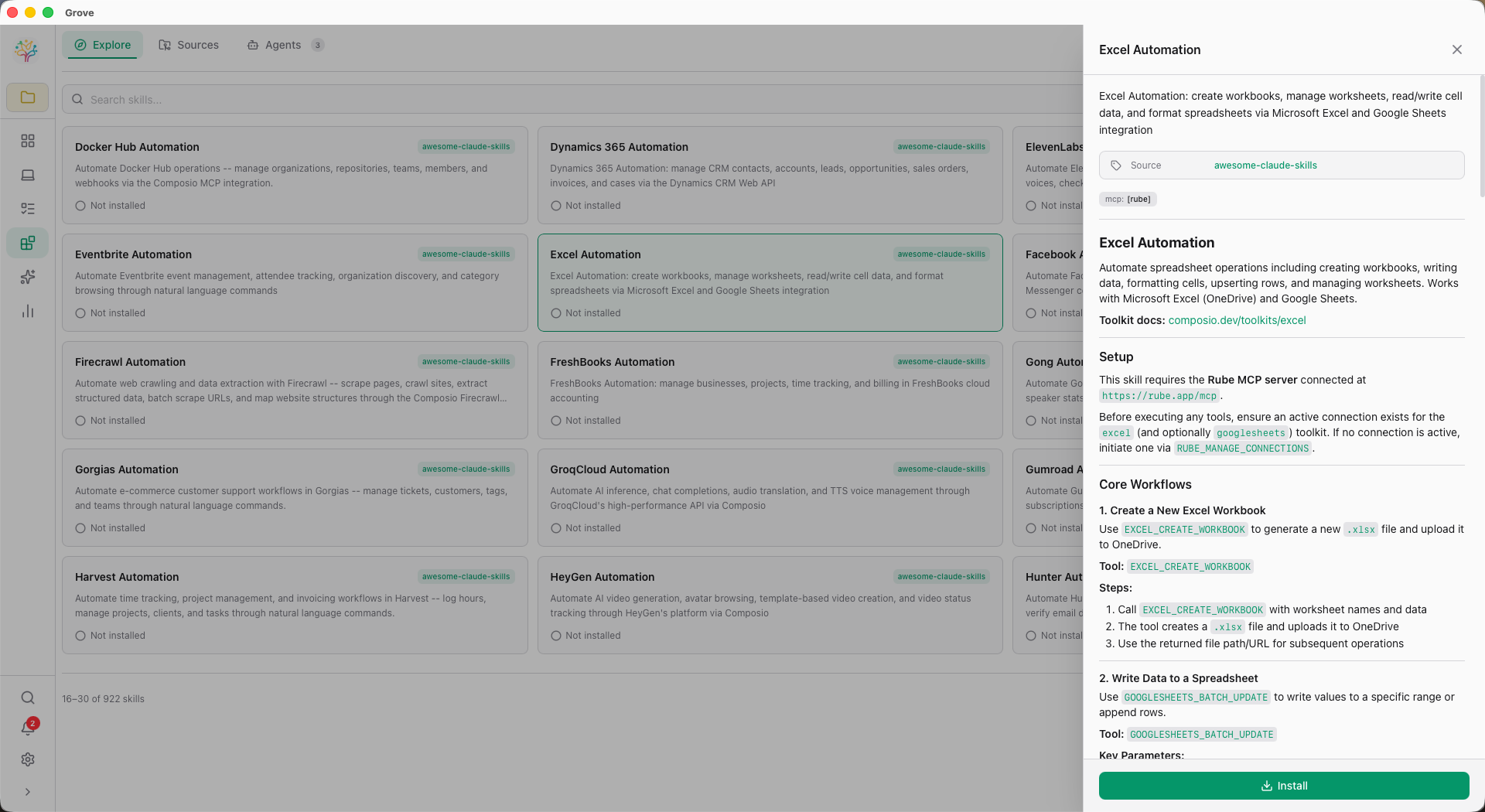
Skills. MCP. Yours.
A marketplace of skills you install in one click — every agent gets smarter at once. A built-in MCP server that exposes Grove to orchestrator agents. Custom agents you plug in by command or URL.
- Skills marketplace — browse, install, scope to project or global
- Grove-as-MCP-server — let orchestrator agents manage tasks and reviews
- Custom agents — any local command, any remote URL
- Hooks — native system notifications when agents finish or need you
One binary.
Four surfaces.
Grove is a single binary with the Web IDE embedded. No runtime deps beyond Git and a terminal multiplexer on Unix.
Shell
curl -sSL https://raw.githubusercontent.com/GarrickZ2/grove/master/install.sh | shHomebrew
brew tap GarrickZ2/grove
brew install grovePowerShell
irm https://raw.githubusercontent.com/GarrickZ2/grove/master/install.ps1 | iexCargo
cargo install grove-rs
# with desktop GUI:
cargo install grove-rs --features guiDownload a release
macOS .dmg, Windows .exe, Linux .tar.gz / .AppImage. Latest release ↗
Start grove
cd your-project
grove
Grove grows one branch at a time.
Built in Rust. Shipped with care. MIT licensed. Works with every coding agent we know of, and the one you're about to build.